Maintaining Vibe Coded AI Coding Tools
September 6, 2026
Abstract
An introduction to a personal, open source utility called Codestellation which is an application that helps engineers explore and maintain vibe coded apps. It does this by creating a 3d map of the shape of the application, and lets engineers take notes on specific spots of the application that need attention.
Introduction
I am starting a new project tomorrow which I am very excited about. The project is working on a few different code bases that have already existed for a number of years. While they are not vibe coded, they will be completely new to me.
When joining a pre-existing project, one challenging thing is to understand how the code “hangs together”. What parts are probably hot spots, where likely orphaned files are, or even just the shape of the project.
Since I’ve done this kind of thing a lot, I have a few tricks to get myself oriented and up to speed quickly on a new project. In anticipation of this new journey, and since I’ve never really found a tool that helps me do that well, I thought it might be a fun idea to have Claude build a usable MVP to explore projects. I also thought this would be a good time to talk about some of my thoughts on vibe coding vs. AI assisted vs. hand coding.
Codestellation
Firstly, the tool we put together is called Codestellation. If you point it at a directory of code, using treesitter it builds a graph of files in the project as well as associations between them. It also clusters and colors files together if they are in the same directory. Instead of some UML style diagram, the graph it builds is a 3d representation of the code that you can fly around in. Right clicking on a file will highlight it and any of the related files.
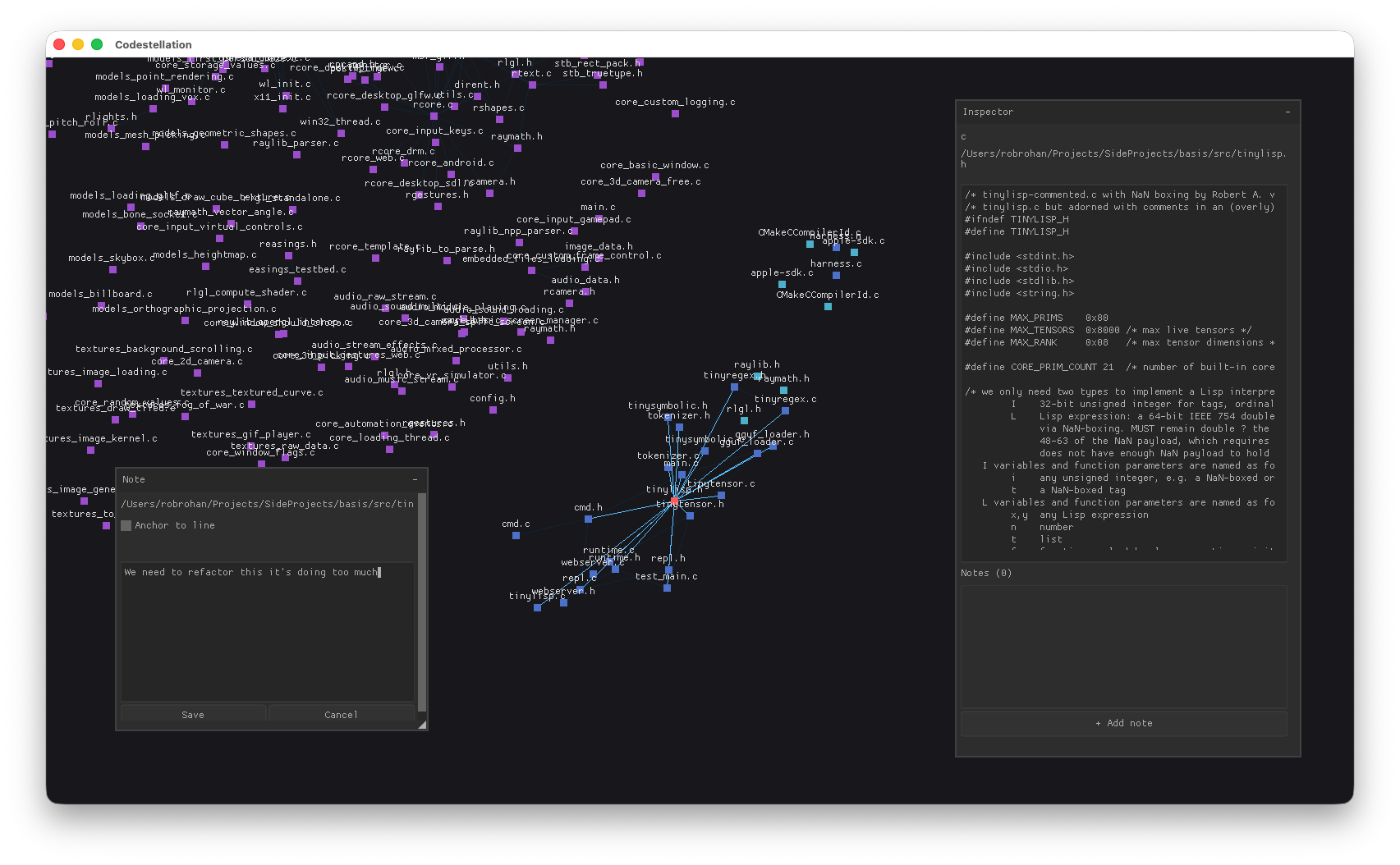
You can drag the files around into your own clusters that make sense to you as you explore, and they will stay in those clusters. You can also click on a file to see it’s contents and add a note for the file or for a line number of that file. Further you can command+click several files and add a note to that cluster.
The notes you add are written into a plain markdown document with references to the source files the notes apply to.
This process has a few different uses depending on if you are vibe coding or hand coding. I’ll explain below with some sprinkling of what I’ve found useful when working within these two different paradigms.
Hand vs. Vibe Coding
Hand Coding
Ah, so old school. My preferred way of coding. When I first look at a codebase the Codestellation graph is essentially what I am building in my head (and I think most engineers do this as well). I often just draw box diagrams and take notes on a paper notebook (!) to build myself a map. Sometimes I’ll use some sort of bookmarking tool within an IDE to mark spots that I want to remember or to come back to do more research. This tool should be doing what I do with my notebook, but in a more digital format. Also with the markdown export it’ll be useful with tools like Obsidian when I go to do some research.
I am shocked github doesn’t have some kind of tool like this. While this tool is just for me, if it was a team effort it seems like it would be very useful to save conversations about specific parts of code. It could be used to track design decisions, or why something shouldn’t be changed, and what not.
It also helps with finding things like, “hey, what is this file still doing here?”
Vibe Coding
After playing a lot with agentic coding, I have come to the opinion the two best options are to either fully vibe code or to fully hand code (using LLM as a sounding board). Trying to work in the middle ground, as a co-coder, at least right now, I find really annoying. If I try to code along side an LLM or agent, they’ll overwrite my code, or delete comments or change comments or rewrite things I didn’t want them to. It turns into a constant battle, and I wind up having to write a bunch of text about “don’t touch this” or “leave this part as is” or “ask me about changes first”, and I can only imagine what that would be like with a team of $\frac{1}{2}$ hand coders and $\frac{1}{2}$ vibe coders.
However, I find when I just want a little tool for myself (such as this one), I can often just tell it what to do and get out of it’s way. It does a good enough job. This isn’t a product I am building a company on or that I plan on selling or anything. I think this is where vibe coding shines to be honest - internal tools or the little non-critical bits that hold people’s workflow together. “You can have as many dashboards as you like, Bob.”
You still often have to iterate and maintain vibe coded applications though. I think this is where Codestellation (or something like it) comes in. When you’re looking at a vibe coded application you are essentially starting a new job. I think this is why some engineers working on vibe coded application find it so tiring - you have to start over, over and over and over.
If you are an actual engineer, there are times you want some specific vibe coded thing fixed. Maybe there is a god object you want fixed, or maybe you just see some other code smell that you want sorted out. This tool lets you go through a crazy vibe coded app and understand it’s shape and take some notes in specific places about specific things. You can then feed the markdown file of notes back into the LLM of you want - either to fix the structural issues or to just help make some rules.
Conclusion
I don’t think vibe coded applications are going anywhere any time soon. They are going to break, and when they do someone will need a “doctor” to come fix them. Maybe trained engineers in the future will fall into that role and there will just be a few specialists that are only needed when things go horribly wrong - robot doctors or something. Who knows.
For now though, if you are an engineer, building some personal tooling and skills around getting up to speed on unfamiliar code bases seems like a useful life skill… regardless of if vibe coding sticks around. Hopefully Codestellation will kick off some ideas in your head.